Skip to content
BUSINESS CALLS. VIDEO MEETINGS. TEAM MESSAGES.

Your business.
Every conversation.

A business phone line, a place to meet and a space for your team.
Bring it all together with Clear2ru.

Built for businesses and teamsFree meetings: 100 people · 40 minutes
A plumber repairing sink pipes with both hands while a phone showing an incoming Clear2ru call lies flat on the floor beside him

Busy on the job. Still within reach.

Illustrative customer scenarios
Made for businesses across
  • United Kingdom
  • United States
  • Canada
  • Australia
ONE APP. MORE WAYS TO CONNECT.

See what Clear2ru can do.

Explore the pictures, then find the features that matter to your business.

Illustrative customer photo: a mobile mechanic taking a call beside a car with its bonnet open and her service vanIllustrative customer scenario
01 / BUSINESS CALLING

A business number. Wherever you work.

Make and receive business calls in Clear2ru. Keep work conversations on your business line and call a saved contact with one tap.

  • Incoming and outgoing calls
  • Mute, hold, keypad and teammate transfers
  • Recent calls and missed-call callbacks
  • Calls between verified Clear2ru numbers

Explore business calling
1 / 6

Business calling

  • Incoming and outgoing calls
  • Mute, hold, keypad and teammate transfers
  • Recent calls and missed-call callbacks
  • Calls between verified Clear2ru numbers

Call handling

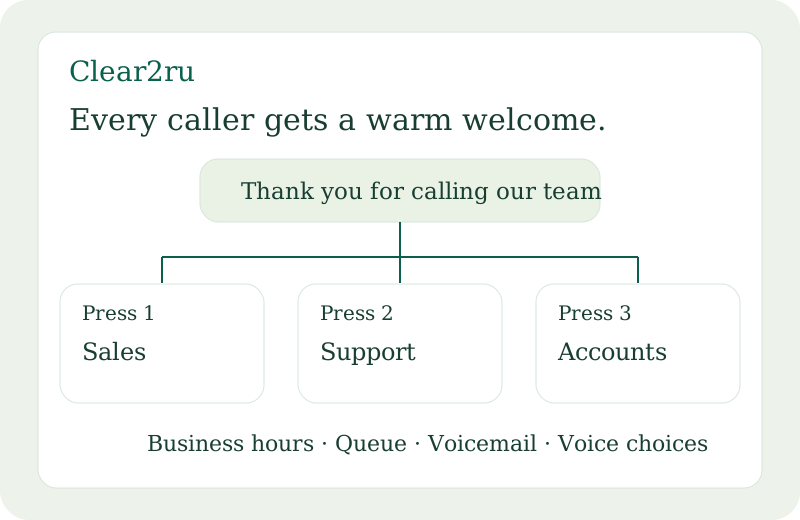
  • Greetings with a choice of voices
  • Press 1, press 2 menus and submenus
  • Business hours, forwarding and caller queues
  • Voicemail, extensions and missed-call emails

Video meetings

  • Up to 100 participants · 40 minutes free
  • Invite external guests by email link
  • Screen sharing on supported devices
  • Meeting chat, camera and host controls

Team messaging

  • Direct messages with teammates
  • Group conversations
  • Invite people into your workspace
  • Audio and video calls with teammates

Contacts & people

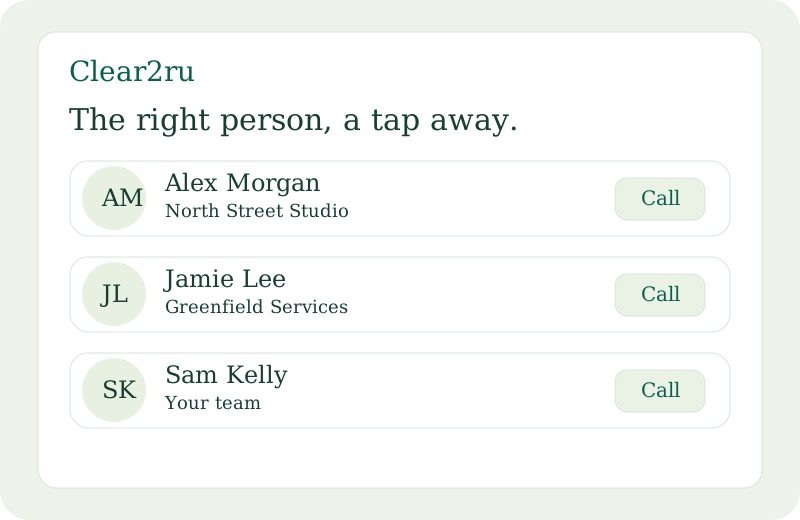
  • Shared company and personal contacts
  • Search names, company details, tags and notes
  • Call directly from the contact list
  • Team invitations and access permissions

Numbers & account

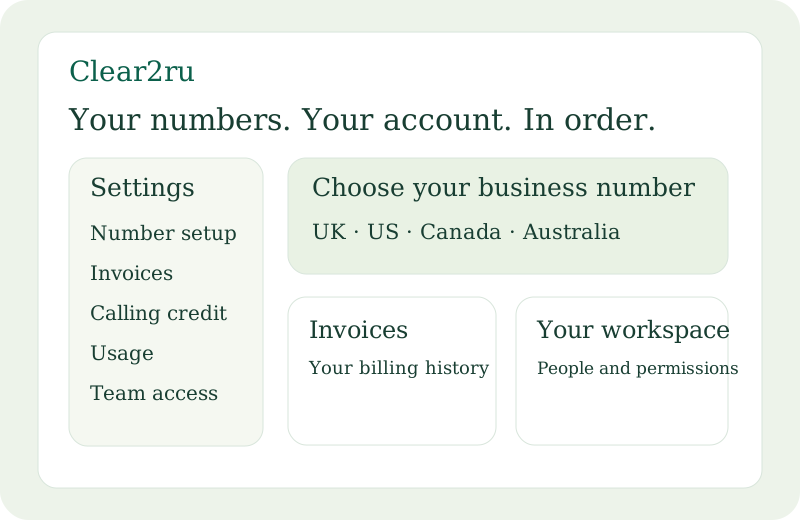
  • Number setup in the UK, US, Canada and Australia
  • Activation, verification and number-porting requests
  • Plan details, invoices and international usage
  • Phone permissions and account security

Business numbers require a calling plan and carrier activation. Number availability and verification requirements vary by country. Calling credit purchases and international bundles are not available yet. Screen sharing depends on your device and browser.

01 / BUSINESS CALLING

A business line.
A personal touch.

Make it easy for customers to reach the right person. Give your business a number, a warm welcome and a way to keep every conversation moving.

  • Business numbers for your workspace
  • Greetings and caller keypad menus
  • Business hours, voicemail and shared contacts
Find your business number

Numbers are subject to availability and any required registration and activation.

A better first hello.Your business, your way.
A customer callsOne number to reach your business
01
Your welcome plays“Thanks for calling. How can we help?”
02
The right teammate answersA little less waiting. A little more connection.

Example call flow · Configured in your phone settings

02 / MEETINGS

More face time.
Less getting there.

From a quick catch-up to your next big idea. Create your own meeting, invite your guests and bring your people into the conversation. Free meetings include up to 100 participants and 40 minutes. Create a free account to host; invited guests can join by link.

Up to 100 people40 minutes freeExternal guestsMeeting chat
Book a free meeting
YOUR NEXT CONVERSATION

A room for everyone.

Teammates, customers and the people
you’re about to meet.

Meet. Share. Connect.Join by link
Illustrative meeting preview
THE CONVERSATION CONTINUES
A
Your teammate

Shall we talk through the plan?

You

Absolutely. I’ll start a meeting.

Y

Example team conversation

03 / TEAM MESSAGING

Small updates.
Shared momentum.

The quick question, the next step, the idea worth sharing. Keep your team’s conversations together, with direct messages and group chats inside your workspace.

Bring your team together
YOUR BUSINESS GOES WITH YOU.

On the job.
Still connected.

At a customer’s premises, in your shop or between appointments. Open Clear2ru on your phone to reach customers, find contacts and keep in touch with your team.

Take your business line with you

Use Clear2ru in your mobile browser. Dedicated iPhone and Android apps are in development.

A gardener speaking with a customer on the phone beside the garden he is working on
Illustrative customer image
THE NAME SAYS IT.

Clear2ru means
clear through.

Clearer conversations. Closer teams. A shared place for the people who make your business what it is.

We’re Clear2ru Ltd. We’re bringing business calling, video meetings and team messaging into one workspace, so you can spend more time on the conversation.

hello@clear2ru.com
A FEW GOOD QUESTIONS.

Before we
say hello.

What can I do with Clear2ru?

Bring business calls, shared contacts, video meetings and team messages into one workspace. Administrators can manage phone access and business call handling from Settings.

How do free meetings work?

Create a free account, choose “Book a free meeting” and start now or schedule for later. Each free meeting supports up to 100 participants including the host and lasts up to 40 minutes from the host joining. Invite external guests using their email addresses; each guest receives a private joining link. Longer meeting packages will be announced separately.

Can people outside my company join a meeting?

Yes. You can invite external guests with a meeting link. They can open the invitation in their browser and follow the joining instructions.

How do I get a business phone number?

Create a workspace, then open Settings → Number setup to check available numbers for your location. Some numbers require business verification. Your number can be used once its activation is complete.

Can I use Clear2ru on my phone?

Yes, you can use Clear2ru in a mobile browser. Dedicated iPhone and Android apps are in development. Native incoming-call notifications are not available in the browser when the app is closed.

YOUR NEXT CHAPTER.

Good work starts
with a conversation.

Get started with Clear2ru